Reimagined Discovery: from component to platform strategy
How I turned a product-card redesign into a platform-wide discovery strategy while aligning teams around a scalable system for helping learners understand, compare, and choose content.
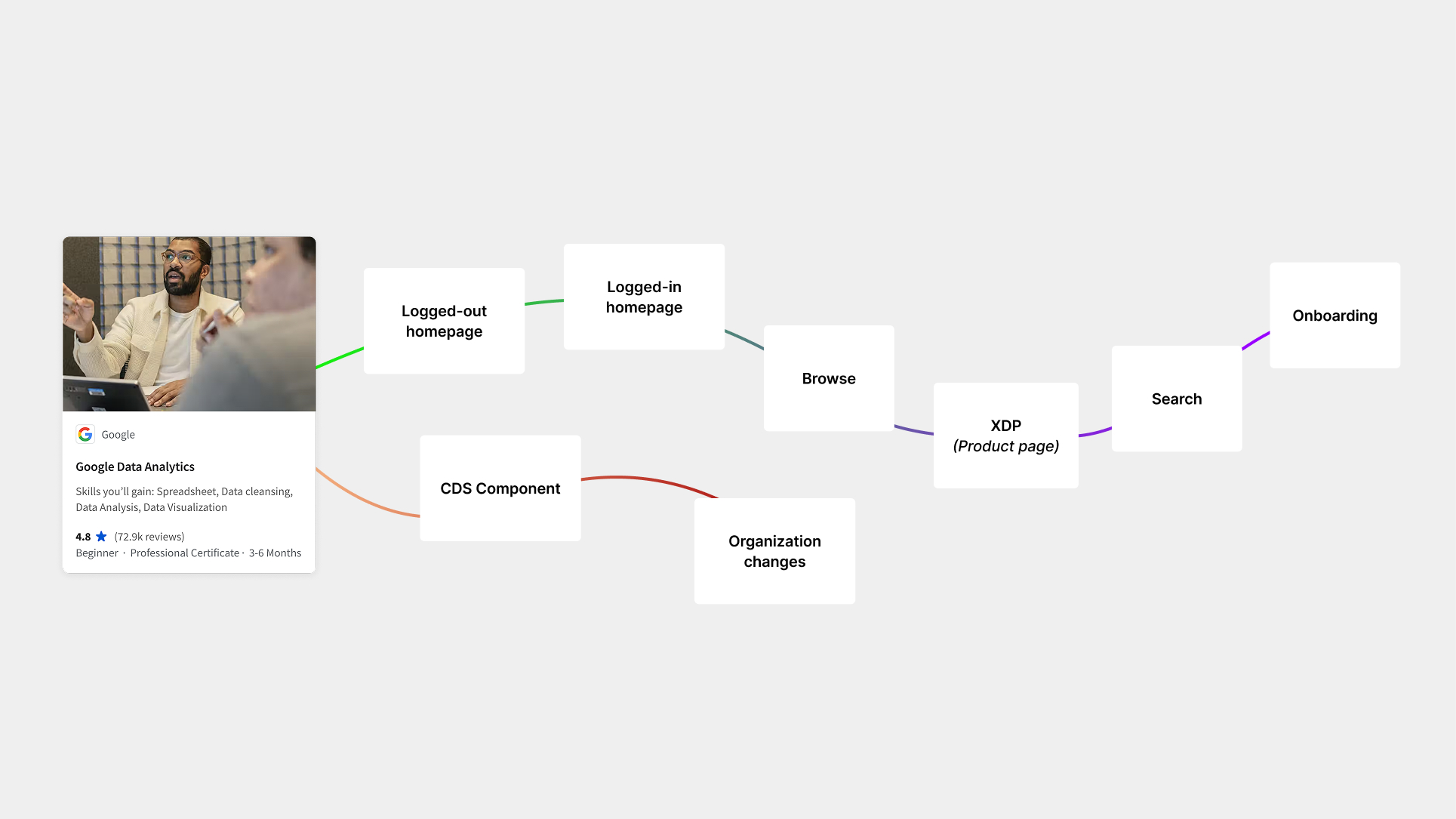
The brief was to redesign a card. The problem was much bigger.
Coursera initially asked us (Michelle Claessens and I as co-leads) to modernize its product cards, but early research showed that the cards themselves weren't the core problem. Learners struggled to understand Coursera's growing catalog and make confident choices across home, search, and browse.
I saw an opportunity to reframe the work from a component redesign into a broader discovery strategy: How might we create a system that helps learners understand, compare, and choose across different product types and scales wherever discovery happens?
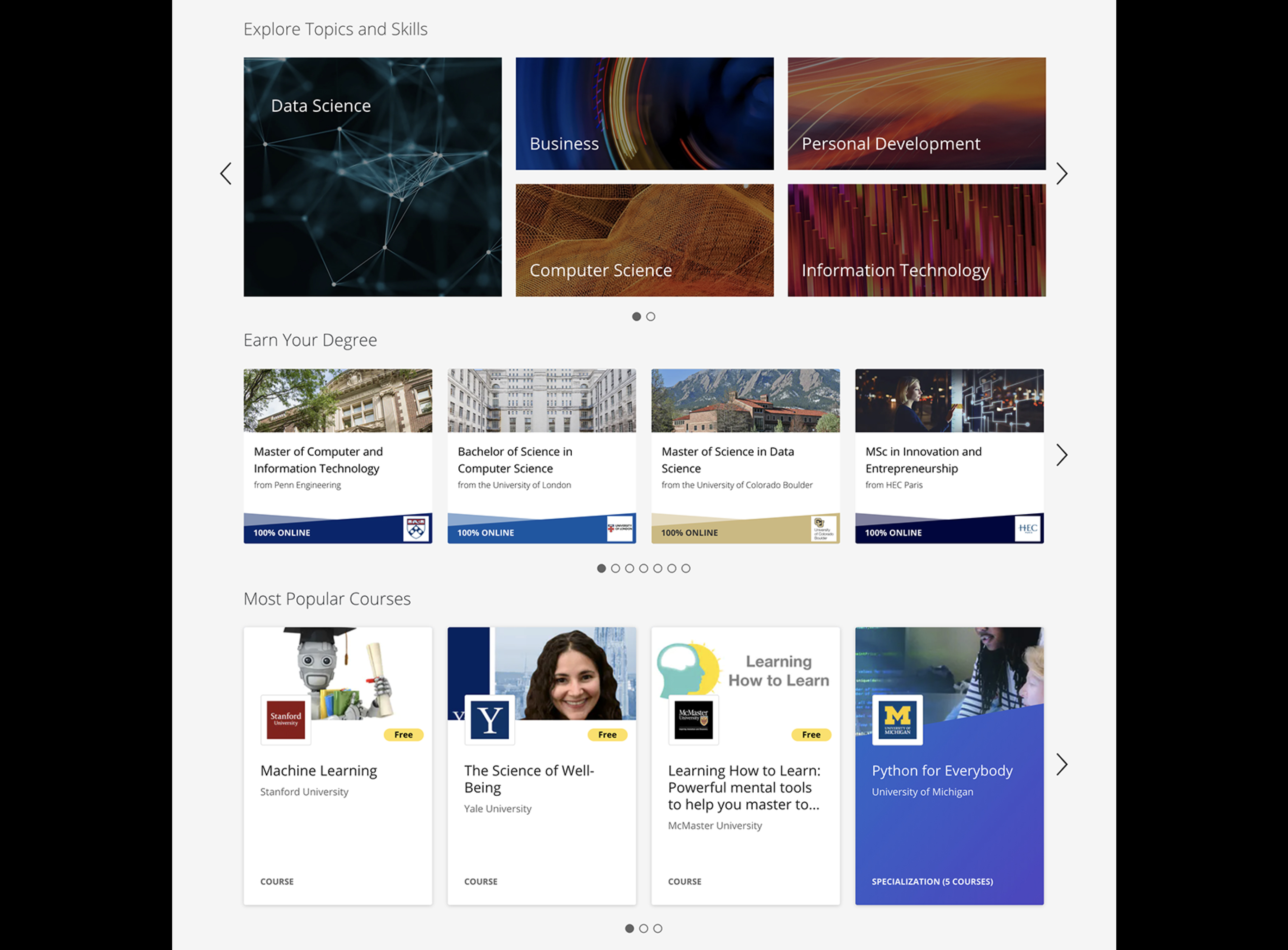
Product cards at Coursera 2020
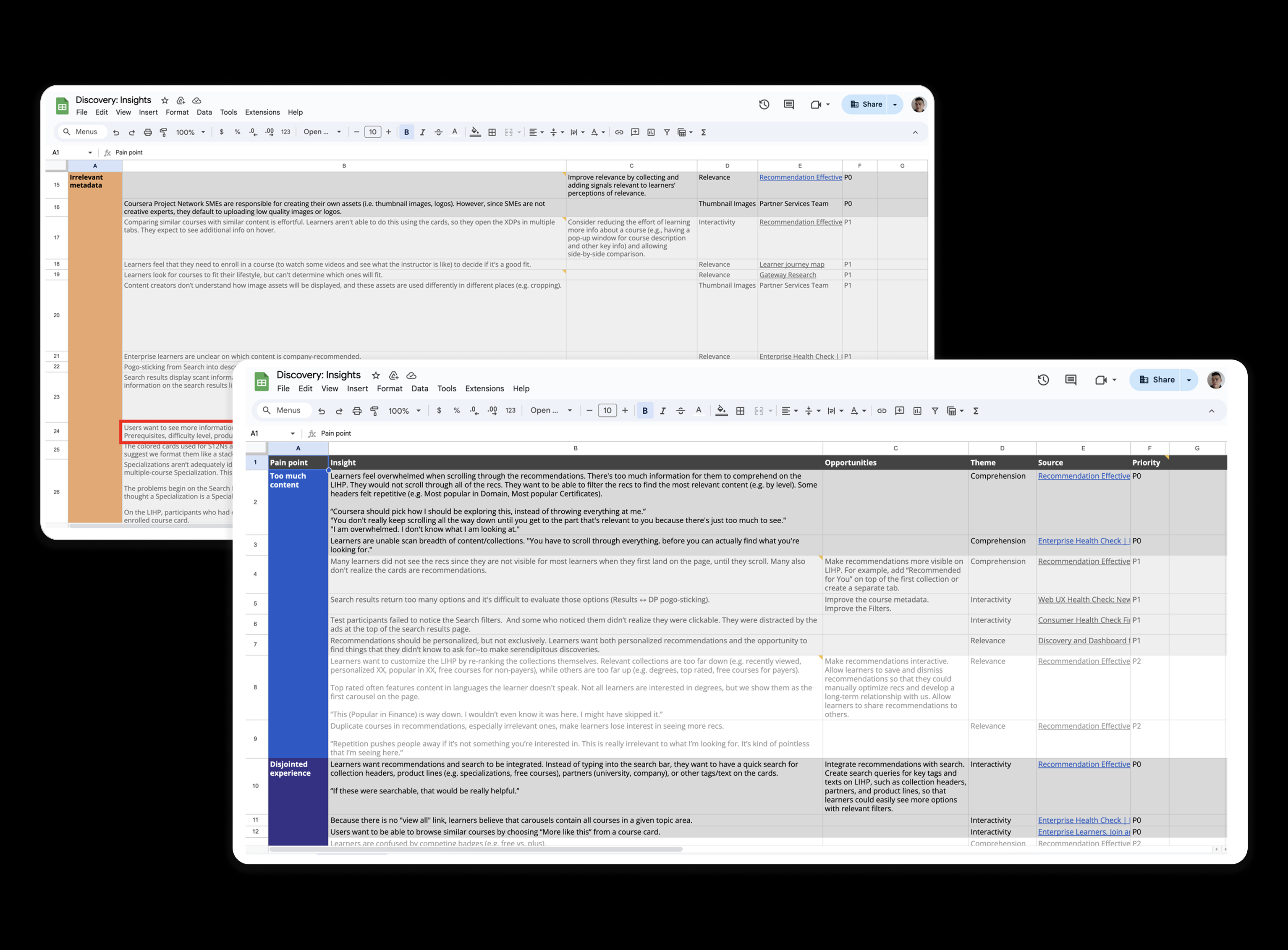
User insights from research
Key findings
Decision fatigue. Learners struggled to distinguish between courses and decide which was right for them.
Product perception is skewed. Learners could not differentiate a course from a specialization, professional certificate, or a degree.
Pogo sticking is tiring. Learners mentioned jumping from tab to tab to understand each product and card of interest, causing overwhelmness.
I decided to do a competitive analysis and place these top companies among a scale from powerful search and compelling browse to better understand the strategies and experiences.

Competitive landscape research for top browsing and searching experiences
We ran a workshop with cross-functional folks in product, engineering, data, product marketing, and user research to ideate.
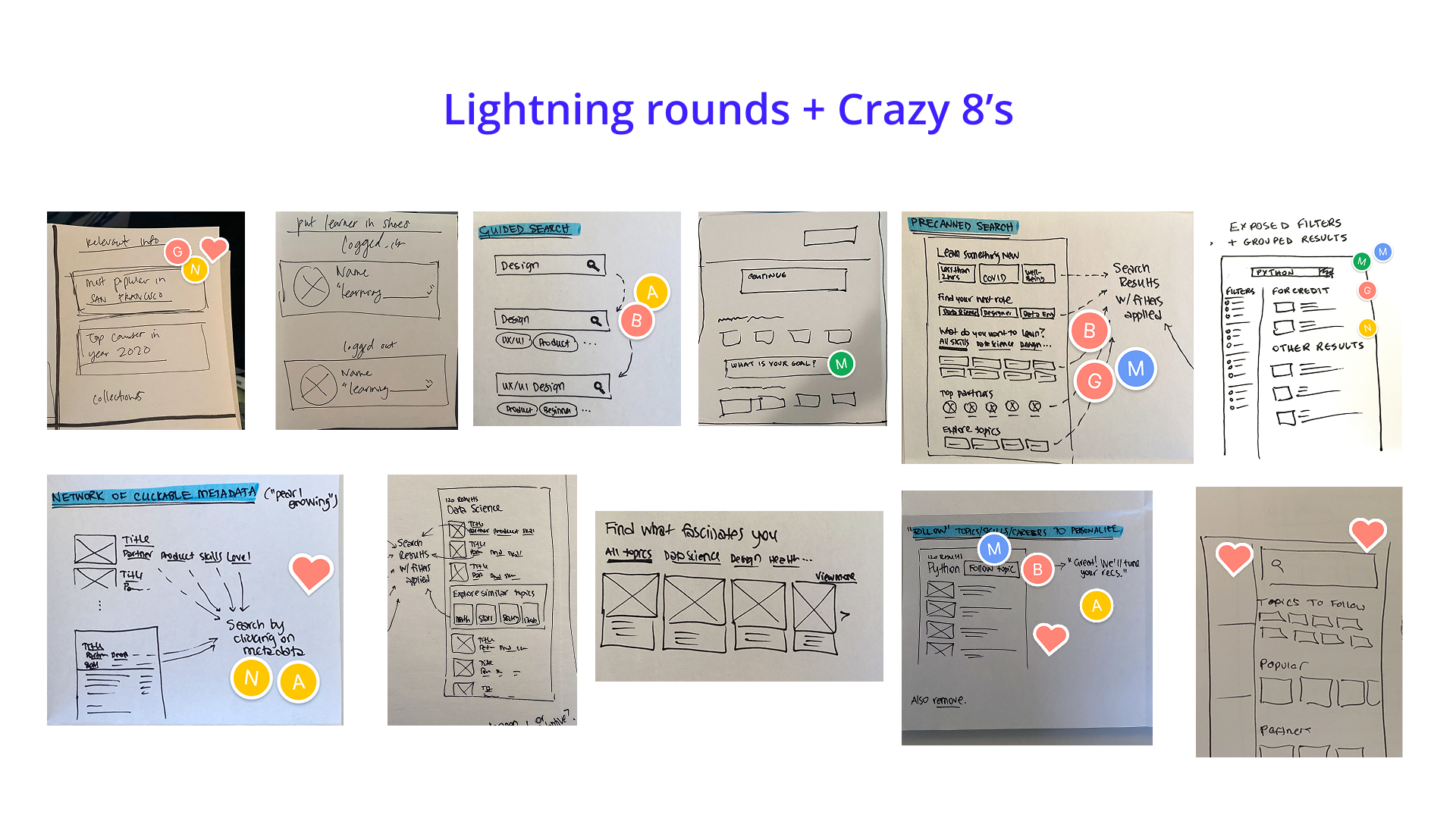
Collaborate to build on: Data -> Hypothesize -> Ideate -> Consolidate
We targeted India for our usertesting because we wanted to make sure the experience was optimized for mobile experiences as India was one of our largest markets at the time.
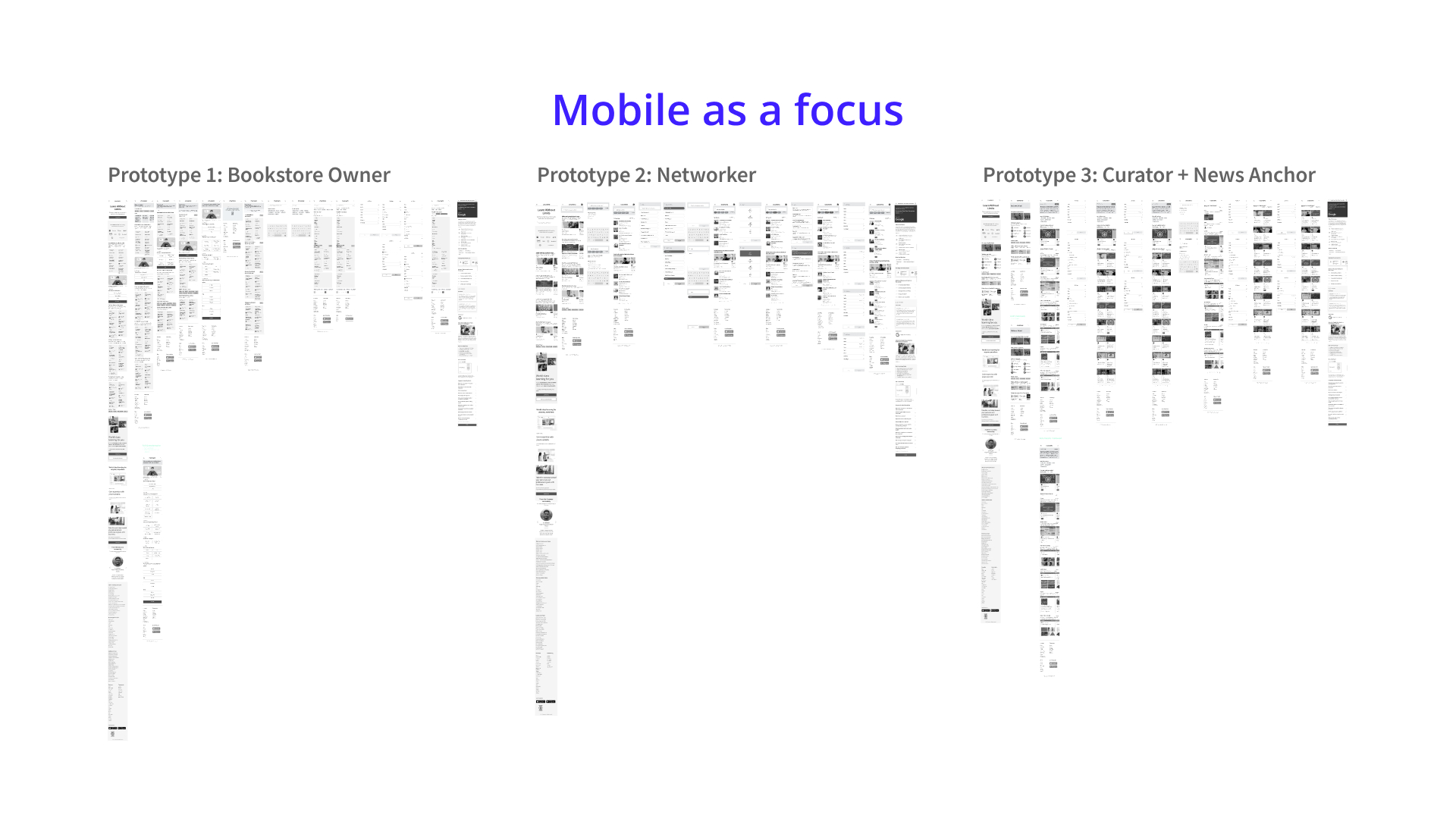
Usertesting prototype focused on mobile in India
Partnering with Kelsey Chow on the visual design team, we collaborated and explored the multiple ways our product cards could show up and interact on the various pages.
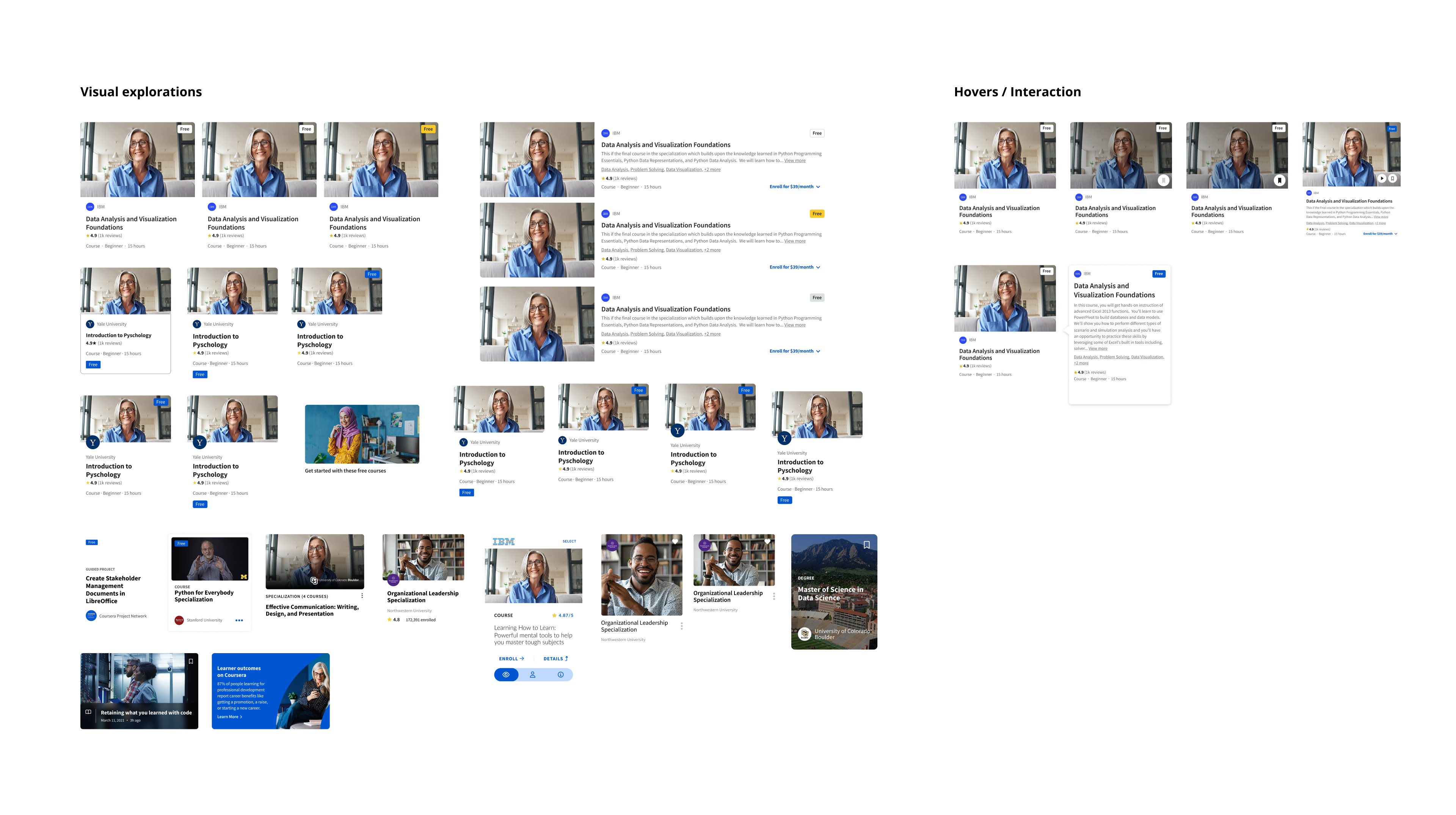
Exploring visual design during the visual sprint phase
An example of how the cards were tested on the pages: ranging from grid-view format to list-view format.
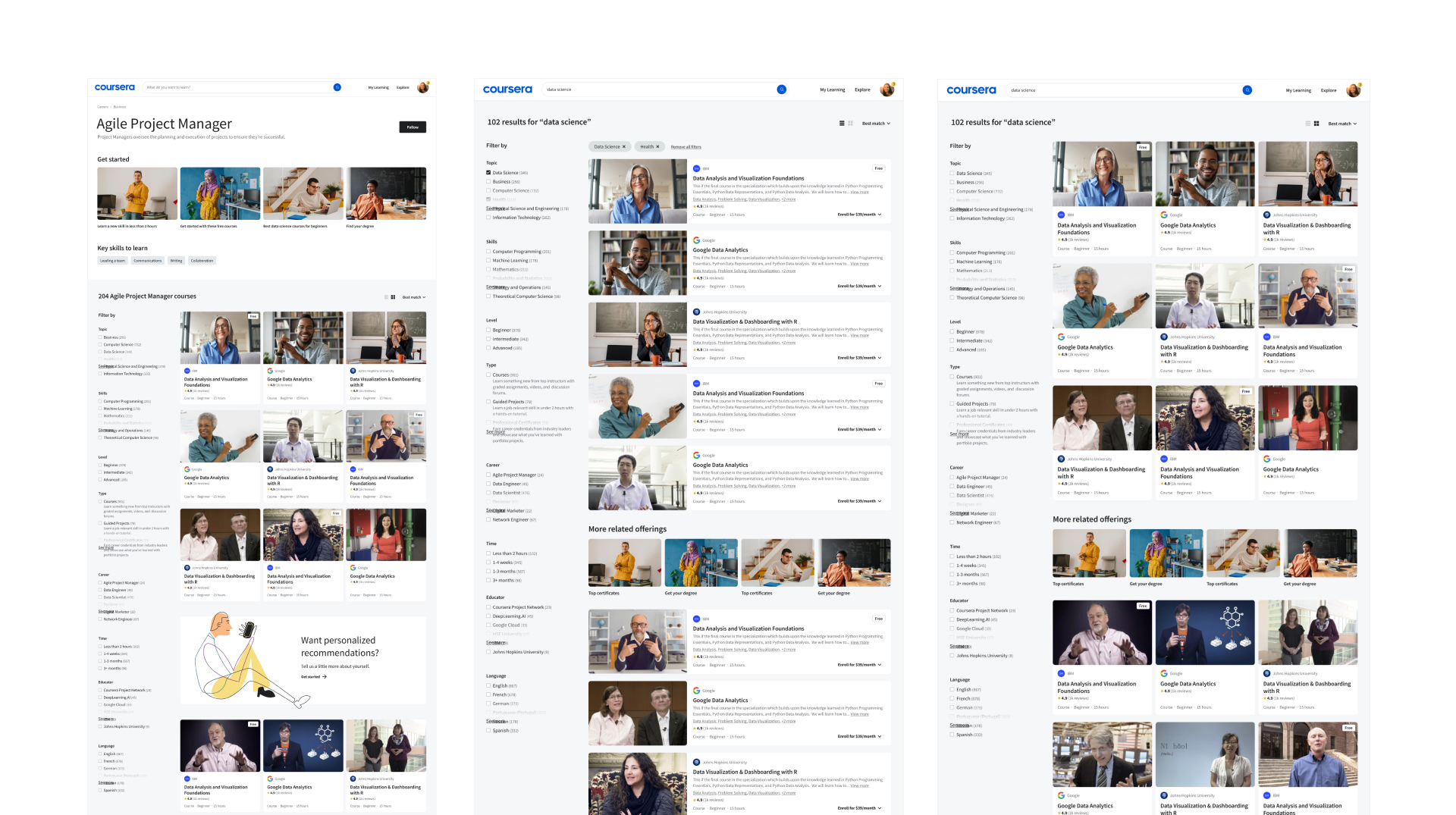
Testing cards within context of page
After rounds of testing with our Coursera learners, we applied them across all the surface areas including the homepage, degrees, browse, and search. Leadership was bought in with the vision, so we started to map out how we would test our way into this.
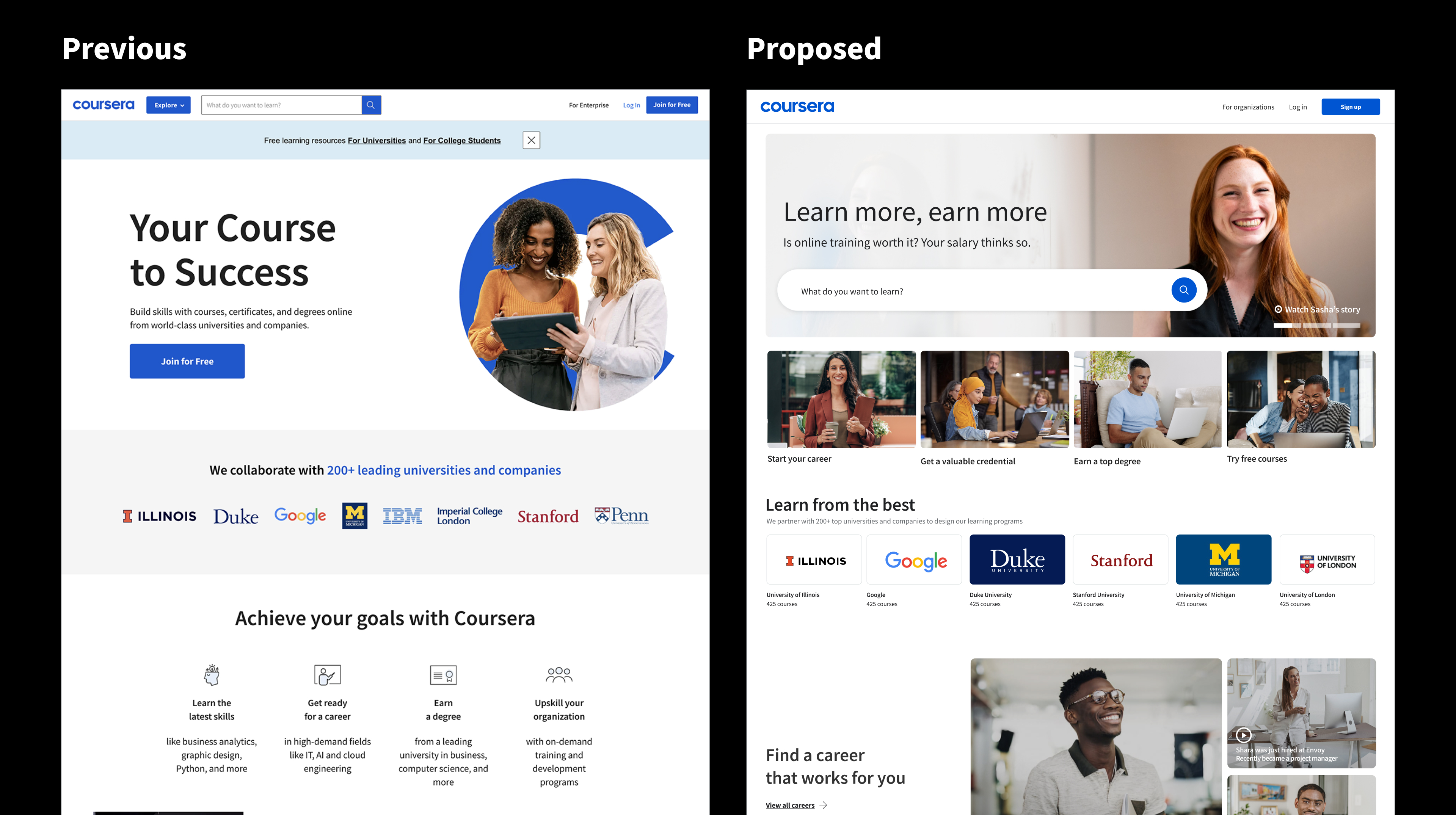
Logged Out Home Page
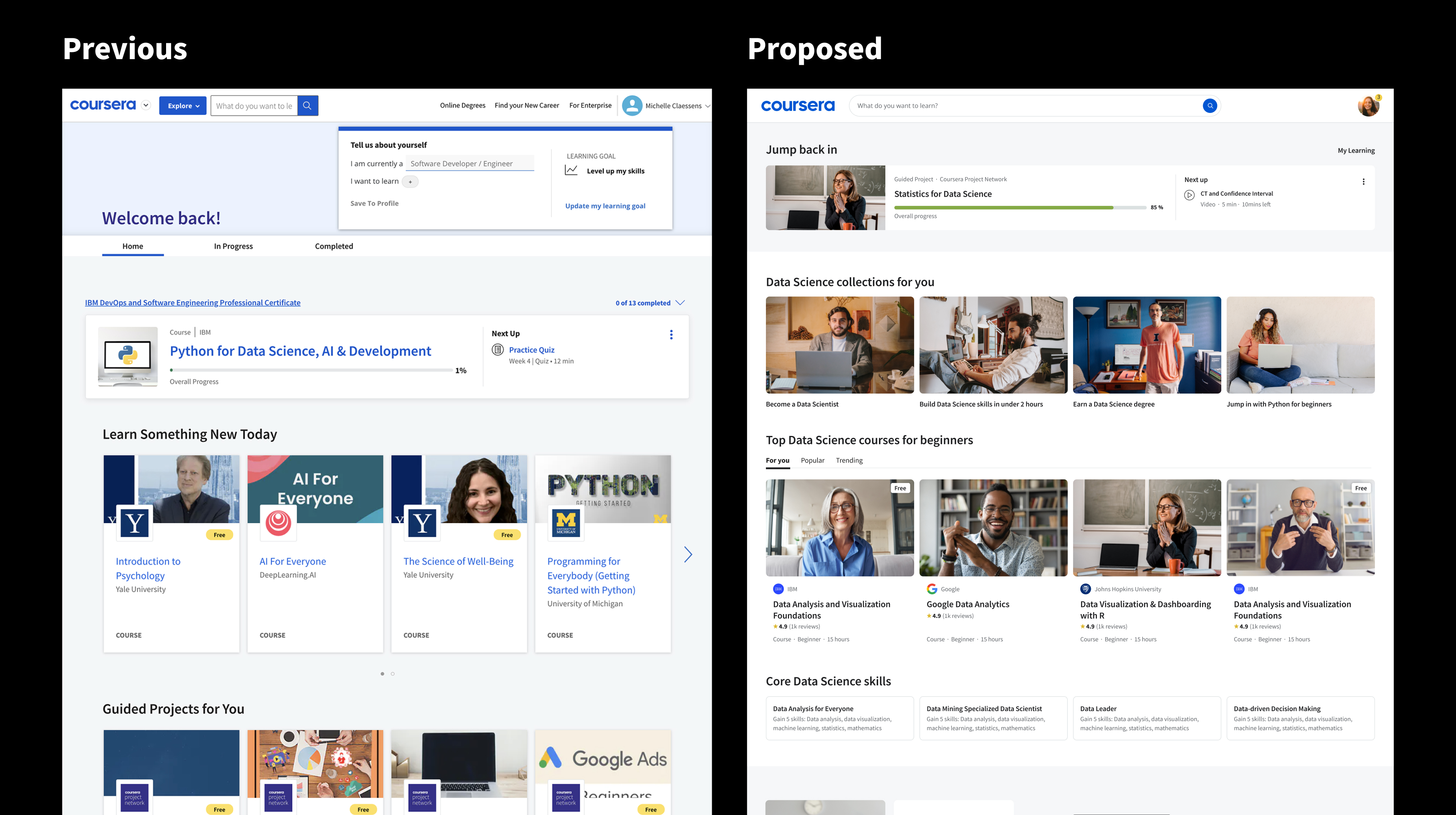
Logged In Homepage
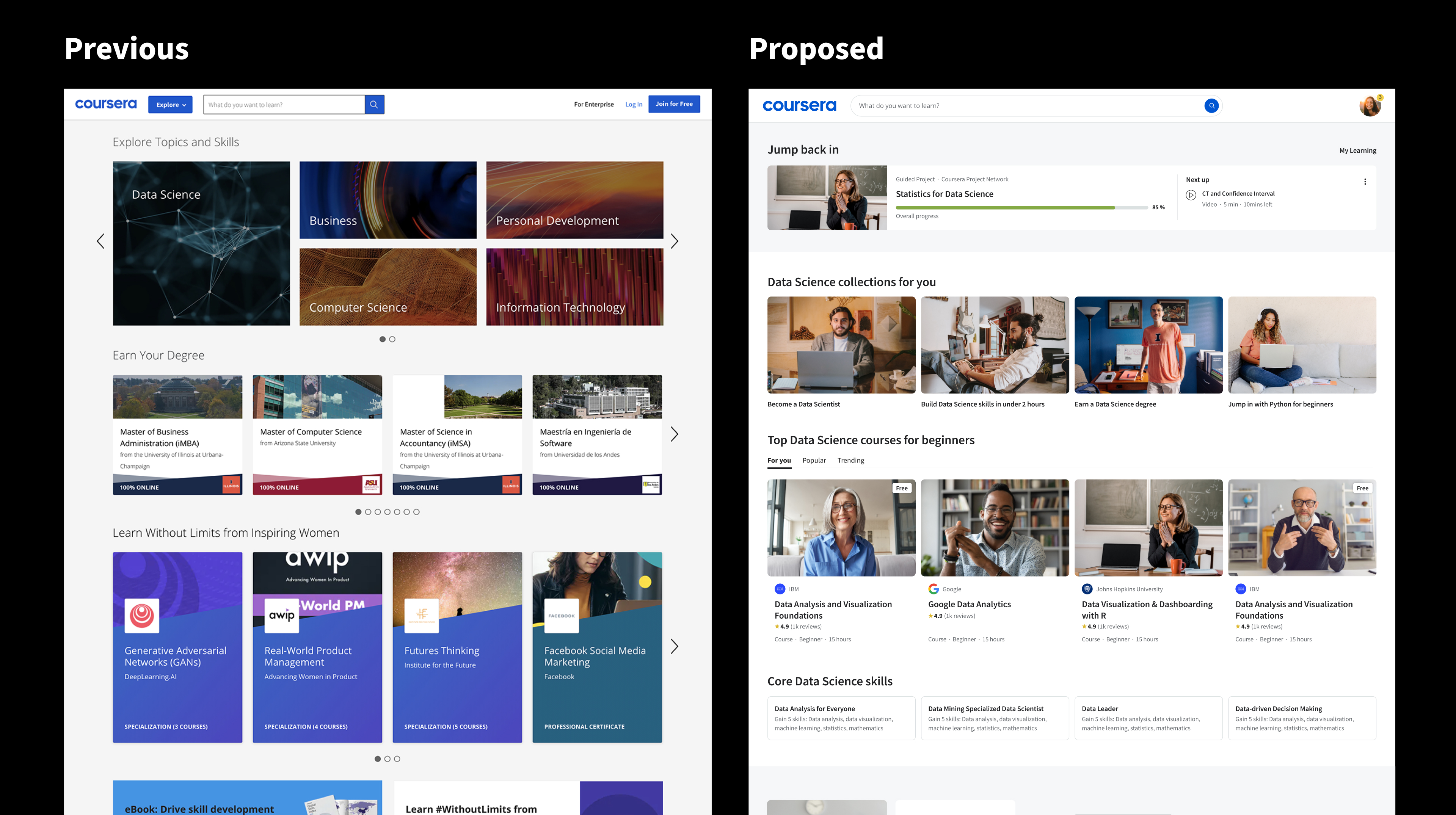
Browse Pages
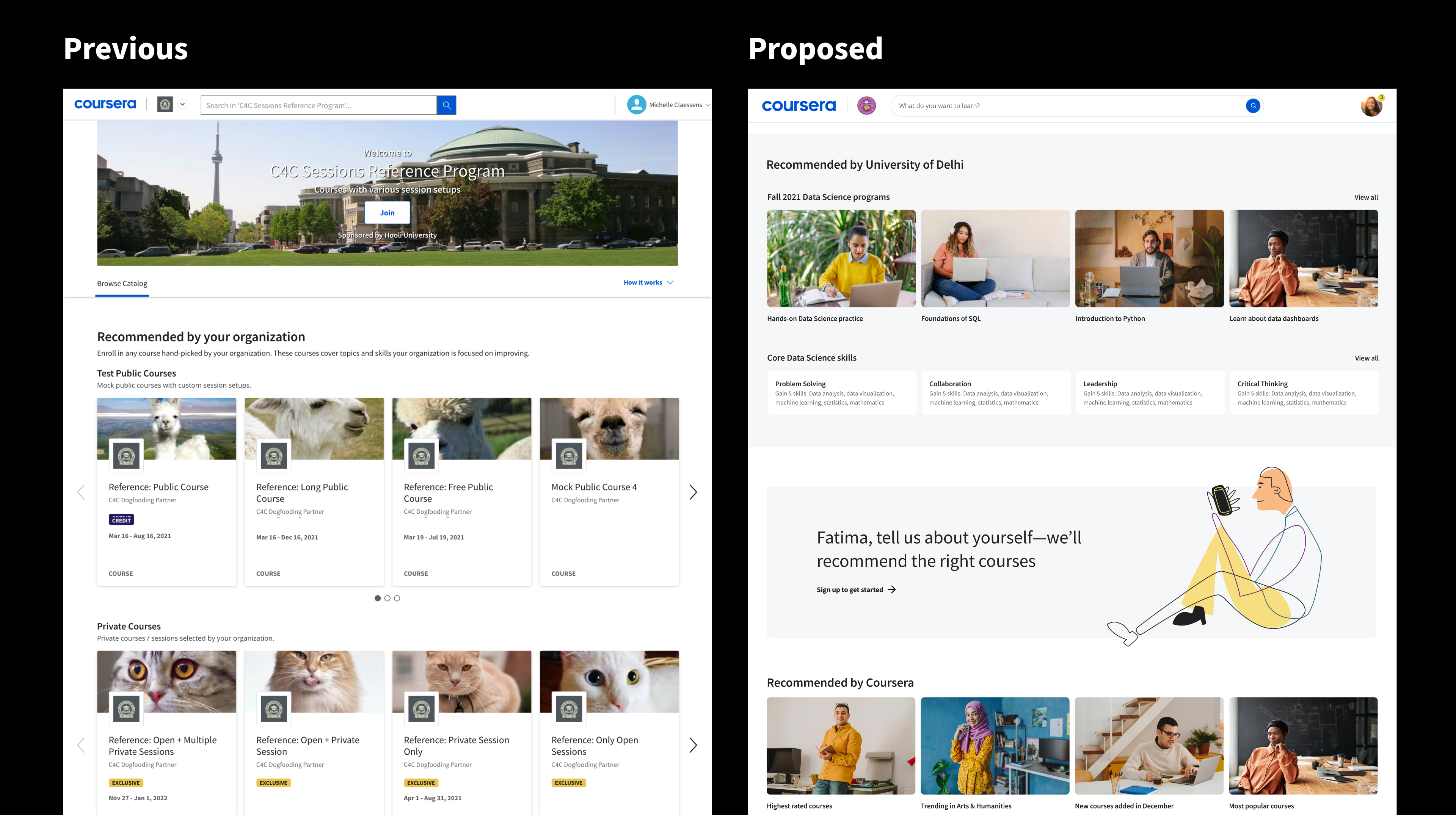
Campus Students Homepage
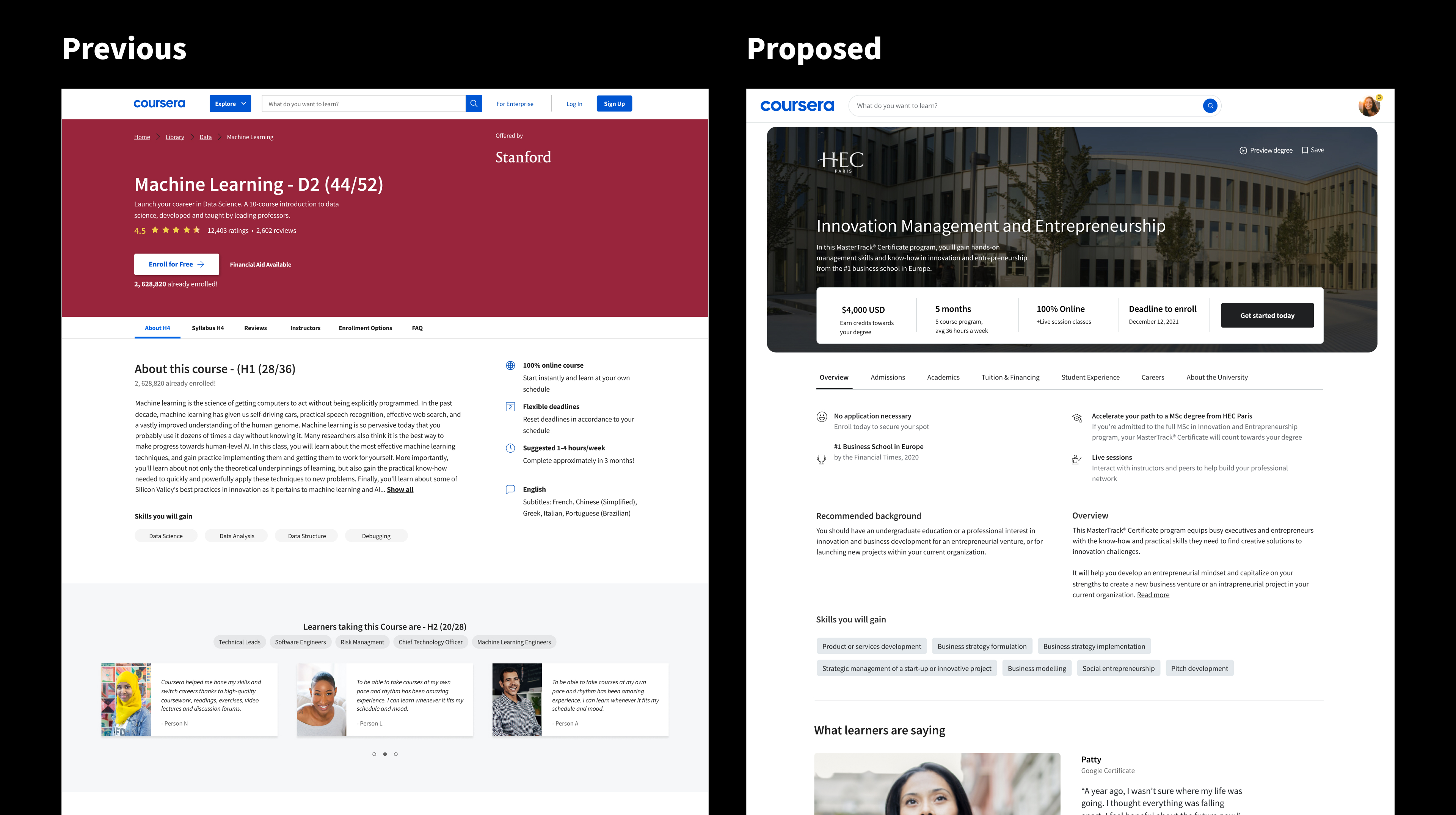
Degree Hub
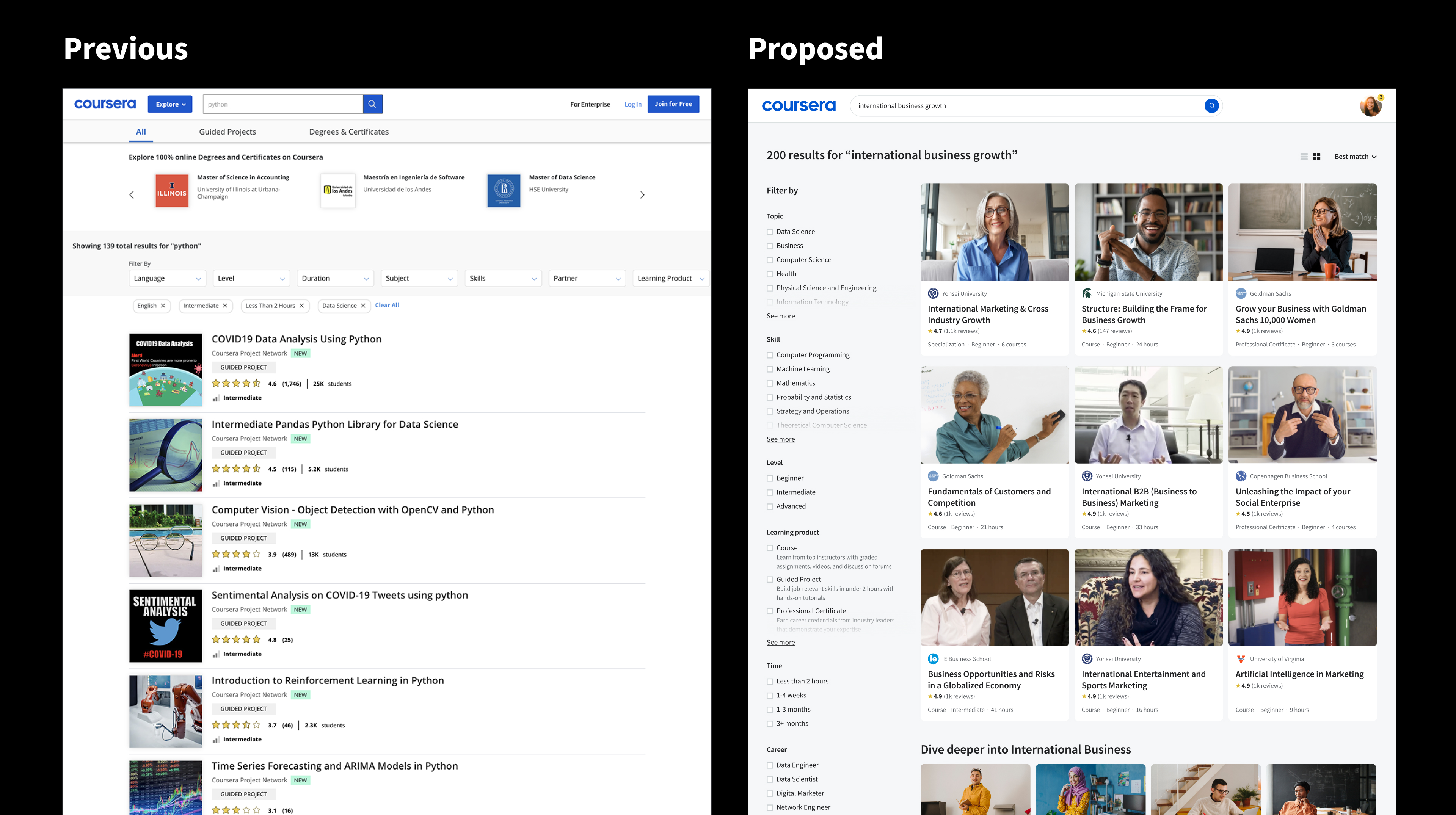
Search
Partnering with my product manager and engineering manager, we started mapping out how the tests would ladder towards the vision. Each test would help us learn and grow, moving CTR metrics along the way.
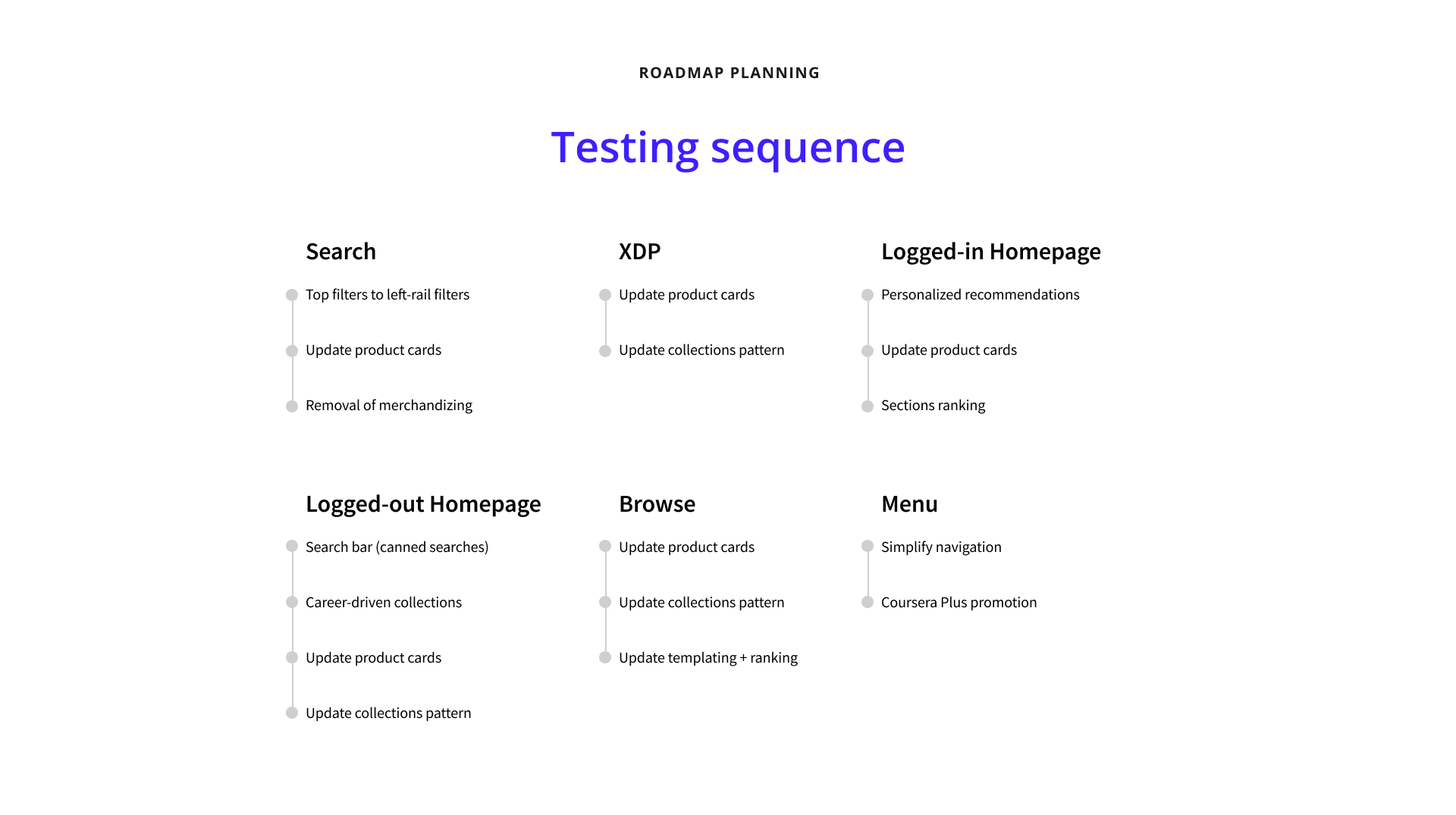
Testing sequence and roadmap planning with core pod.
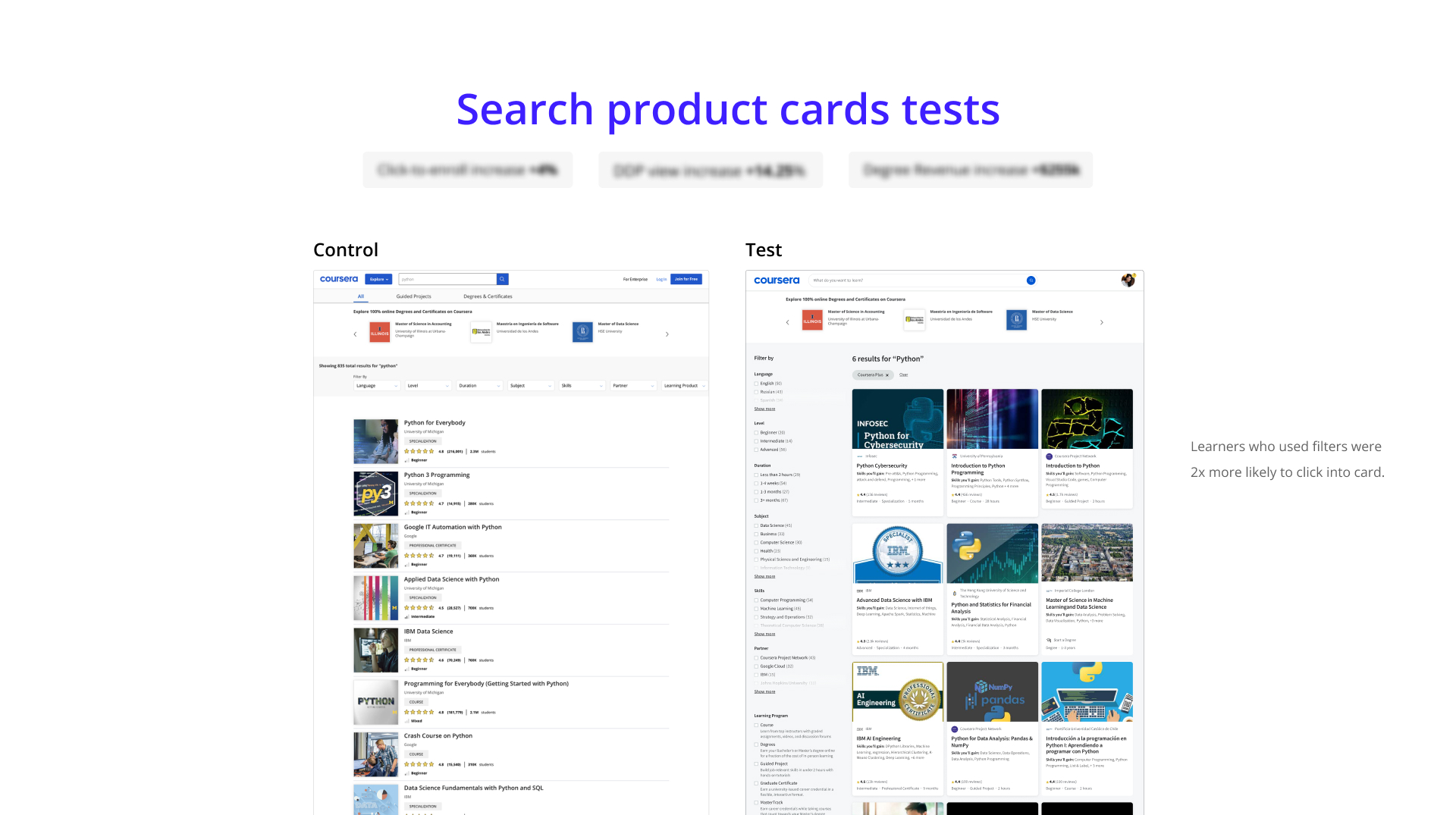
Test 1: Learning how the new product cards would impact learners on the platform. Outcome: stat-sig positive, rolled-out and released to GA.
Interactive Product Card demo
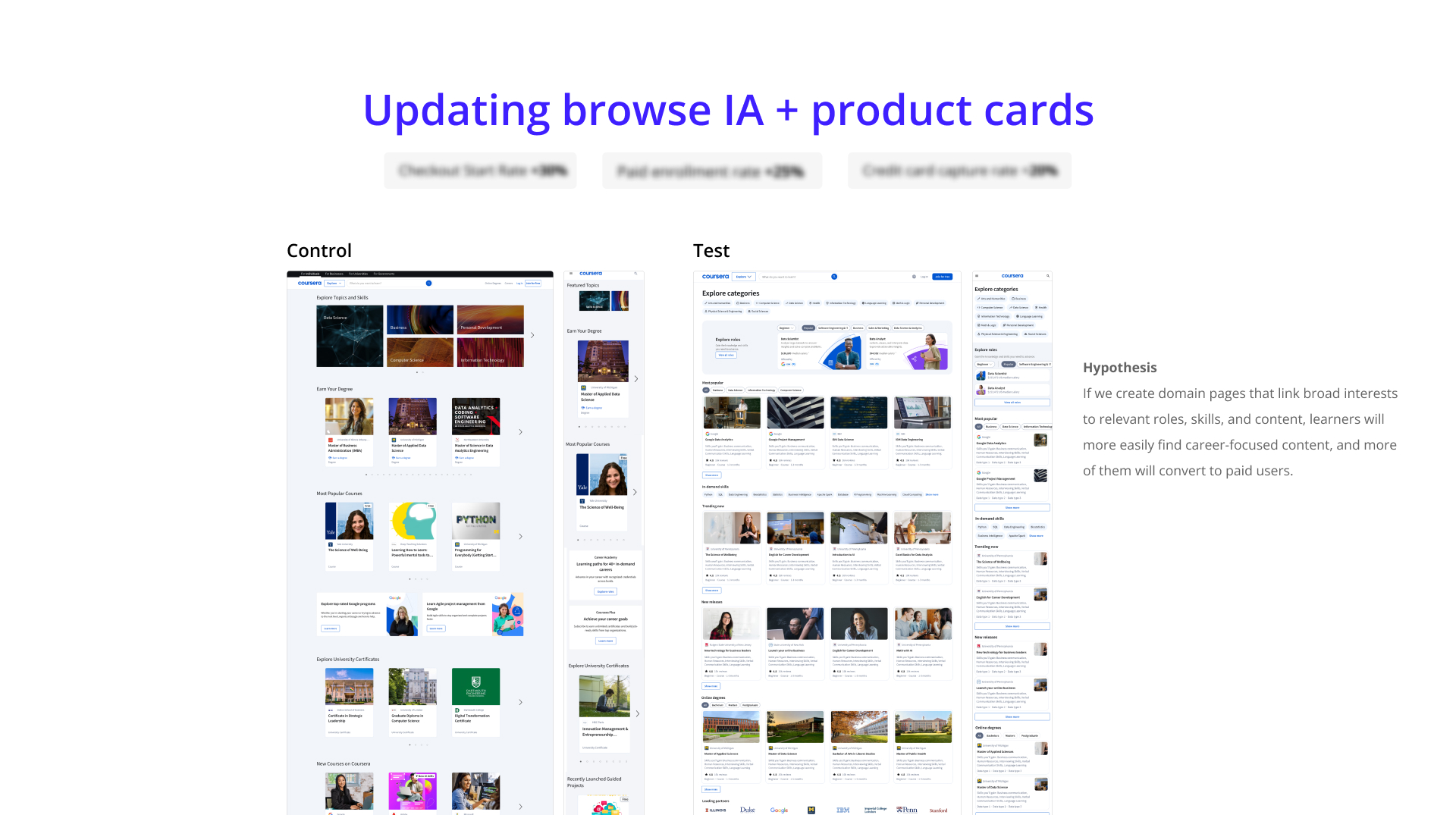
Test 2: Learning how restructuring the collections with new product cards and complex collections could help learners navigate between different levels of the platform. Outcome: stat-sig positive, rolled-out and released to GA.
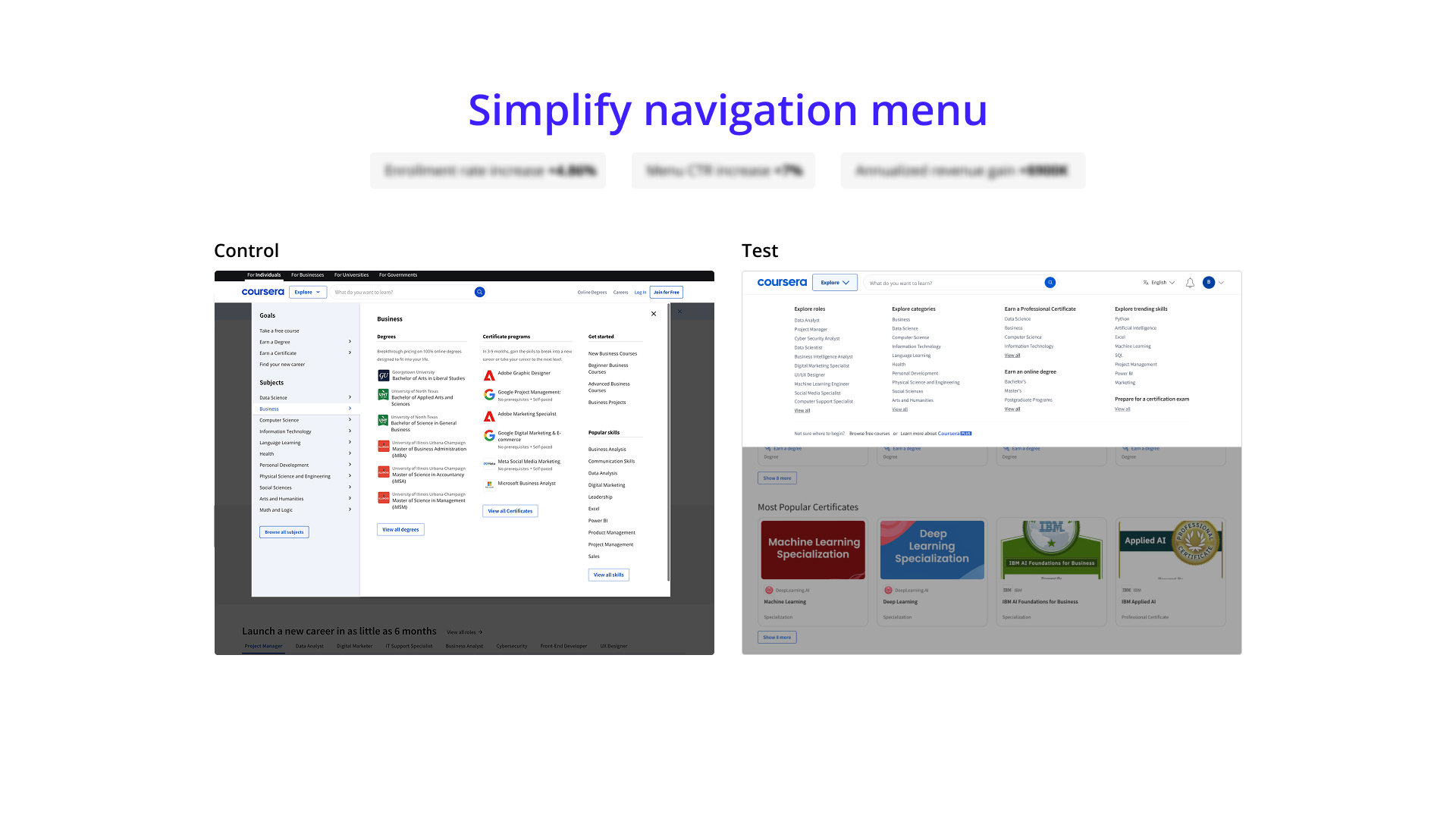
Test 3: Learning how effective the new navigation system in tandem with browse systems can increase page visits and CTR. Outcome: stat-sig positive, rolled-out and released to GA.
What started as a course card redesign turned into one of the most exciting projects I've worked on. Partnering with multiple disciplines along with a co-designer and managing stakeholder feedback was an area where growth happened. People are good at what they do, so it's always best to bring folks together in a room (zoom) to collaborate effectively. Through this project, my product manager, engineering manager and I were able to launch multiple tests that turned stat-sig positive that brought Coursera to where it is today. Ultimately, learners mentioned an improved experience, as shown in user research as well as the increase in click-through-rates.